Kelly Roofing uses PowerApps to capture photos at work sites

Microsoft Power Apps fixed a business traffic jam for Kelly Roofing. This company was overloaded with paperwork and broken communication lines due to their vast client territory. But with Power Apps, they created a custom app that integrated photos, reports, scheduling, and client info for hundreds of employees to access. Read their success story here:

Spotlight on ‘Teams as a Platform’ at Virtual Microsoft Build 2020

You may be hearing buzz about announcements made in late May about Microsoft Teams and especially its integration with Power Platform.

In his article, “Spotlight on ‘Teams as a Platform’ at Virtual Microsoft Build 2020,” Patrick Moorhead explains highlights, such as app development and management and scheduling improvements within Teams. For example, users in Power BI can click Share to Teams to import and share reports (or parts of reports). “By integrating these two tools [Teams and Power Platform], Teams is now essentially a full-blown platform,” writes Moorhead. Read his entire article for all the highlights!

Implementing Role Based Security In Your PowerApps App

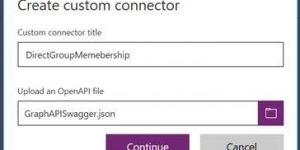
Security and governance are important factors considered by Microsoft Power Apps. This tutorial illustrates how you can implement permissions in a custom app. Following the tutorial also shows you how to implement any custom connector in the Power Apps environment. Get started here:

Benefits of Microsoft Teams

The chat feature in Microsoft #Teams is designed for the modern worker. It’s rich text capable and supports @mentions to ensure quick notification. Users can chat (and call and meet) across devices, including mobile.

Check out this flyer for more details about the collaboration, meetings and calling features. Teams is the hub for teamwork that brings everything together!

Administering a Power Apps and Power Automate enterprise deployment whitepaper

Microsoft Power Apps is more than a quick, cost-effective app development platform. You can also leverage Power Apps to drive exponential growth while protecting data and maintaining governance. Learn more with this technical whitepaper that covers all aspects of planning, building, deploying, and managing a Power Apps solution.

Digital collaboration is key to success in the modern workplace

Over 500,000 organizations use Microsoft Teams, the fastest growing business application in Microsoft history. Why? It’s a collaboration and communication hub like no other—with applications built right in. Meeting the needs of today’s modern workforce is easier when Teams is the backbone of the organization. Subscribe to Affordable IT to learn more.

Three ways to make an app

App development as easy as one, two, three. Microsoft Power Apps has three simple ways you can launch your app quickly. Start with a blank slate, use a data-driven model, or leverage existing templates. With Power Apps, your team can deploy apps fast and seamlessly. Learn how you can get started today:

NSW: Large-scale education

The New South Wales school system faces challenges supporting their investment in education technology. Watch this video to learn how a new collaboration hub, provided by #MicrosoftTeams, has changed the landscape of teaching and learning.

Speed up the process: develop an app in hours

Speed and agility – Microsoft Power Apps gives you both with the power to create custom, professional apps in hours. By connecting your existing data and systems to your applications, your business can solve problems faster. The simple, automated processes help your team quickly develop and deploy apps, leaving time for innovation. Watch this brief video to learn how you can get started:

Grocery chain in northern California and southern Oregon boosts customers relationships with custom app

See how real businesses save money with Microsoft Power Apps. A grocery chain needed a streamlined solution that allowed staff in multiple departments and locations to respond to requests. They used Power Apps to quickly build their app solution. This app enabled staff to easily share information and saved 15 minutes per customer contact. Read their story here and learn how they grew profit and customer satisfaction with Power Apps.